Home
Self-hosted document converter.
PDF ↔ Markdown today, more format pairs as contributions land.
Deterministic, heuristic, no external calls.
What it does
md-bridge is a small HTTP service plus a React UI for converting between document formats. It ships PDF ↔ Markdown on day one; the architecture welcomes new format pairs (DOCX, EPUB, RTF, and others) as contributions land. The conversion is deterministic: the same input file produces the same output file every run. No model, no fine-tuning, no API key, no network call to a third party.
- PDF → Markdown with heading detection, list recovery, table extraction, and YAML front matter.
- Markdown → PDF rendered through headless Chromium with a bundled A4 stylesheet.
- Batch mode in the UI: drop a folder, convert the whole thing sequentially, download per file.
- Diagnostics endpoint so the UI can warn about tagged PDFs, OCR needs, or missing fonts before kicking off a conversion.
- Multilingual UI (English + Portuguese + Spanish), choice persisted in
localStorage.
Quick demo
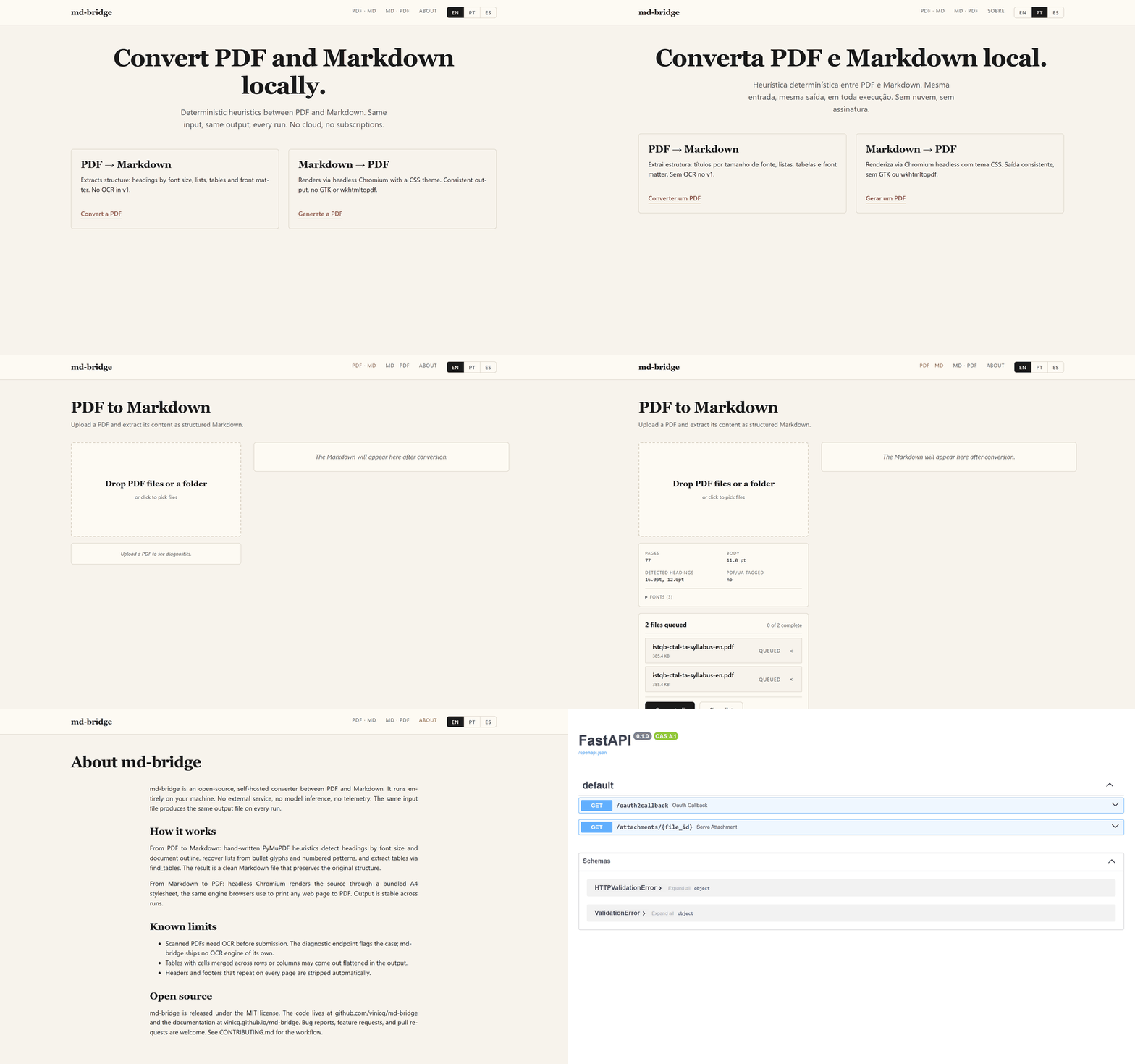
Run it in two commands
UI at http://localhost:5173, API at http://localhost:8000/docs.
Detailed setup steps live on the Getting started
page.
Why md-bridge
| What you might want | What md-bridge gives you |
|---|---|
| Convert PDFs without uploading them to a third-party | Self-hosted; nothing leaves the box |
| Reproducible results | Same input, same output, every run |
| Batch a whole archive | Drop a folder, get a queue |
| Plug into your own tools | /api/pdf-to-md, /api/md-to-pdf, /api/inspect-pdf |
| Read the conversion code | packages/pdf-to-markdown/scripts/convert.py |
Where to go next
- Getting started — install, run, batch a folder.
- API reference — endpoints, options, error envelope.
- Contributing — how to file an issue or open a PR.
- Security — how to report a vulnerability privately.
- Changelog — what landed in each release.
License
MIT.